![Incra_logo.png]](https://support.incragroup.com.au/hs-fs/hubfs/Incra_logo.png?width=150&height=67&name=Incra_logo.png)
Authorisations in RAM are only valid for up to 12 months. Several weeks before your authorisation expires, you will receive a reminder to the email address you used when linking the business to renew your business authorisation. You will need to contact the authorisation administrator to renew your access. If this is you, follow the steps here to renew an authorisation.
Before you start: Levels of Access
When creating authorisations for another user, there are various levels of access you can grant someone through RAM which limit the actions they can perform on your behalf. For each government online service you authorise a person for (such as the ATO, the ABR and others) , you can grant either full, custom or no access.
- Authorisation administrators: This grants users the ability to create and manage authorisations for others. This level of access can't be granted for Basic users.
- Authorised users: This grants users the ability to work on behalf of your business.
- Machine credential administrator: This grants users the ability to create and manage machine credentials to interact with government online services. This level of access can't be granted for Basic users.
- Basic user: This grants users the ability to work on behalf of a business with a Basic identity strength.
Setting Up an Authorisation
- A principal authority needs to link to the business in RAM to authorise themselves and any others they choose to access government online services on behalf of the business.
- Principal authorities include
- Sole traders
- Eligible individual associates
- Trustee/Corporate Trustee (director/s of)
- Director
- Public Officer
- Partner
- ABR authorised contacts
- Principal authorities include
- To link your business as a
- Sole trader or eligible individual associate
- First ensure that you have a MyGovID set up and have supplied enough information to make your identity strength 'Strong'.
- Log into RAM using your MyGovID account details
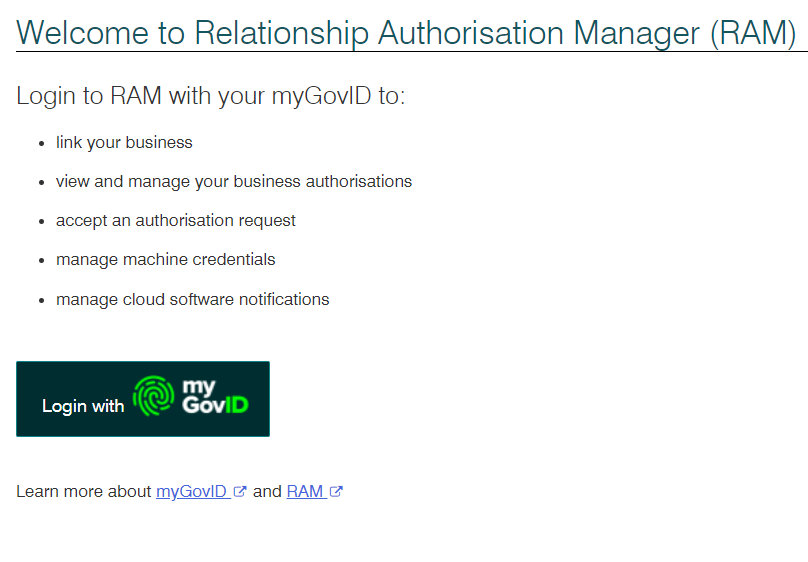
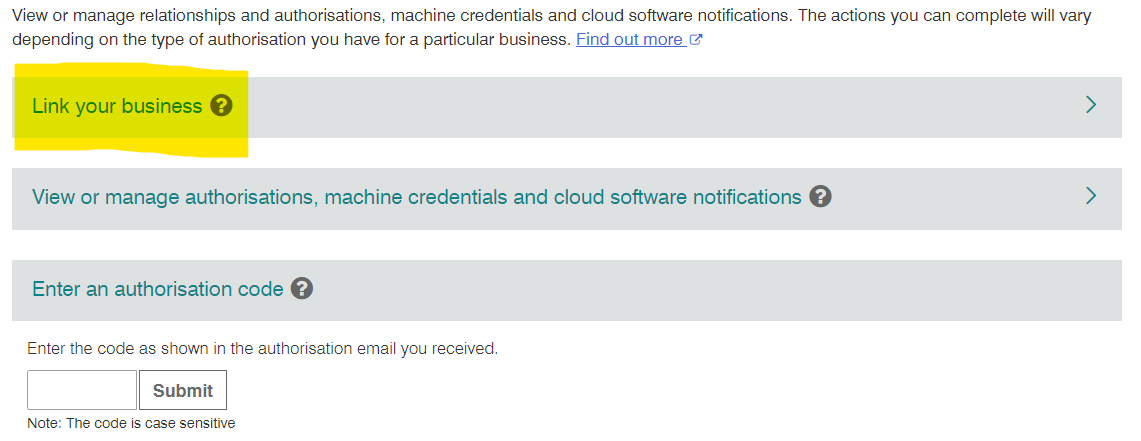
- Select 'Link your business'. This brings up a pop-up redirecting you to the ATO. Select 'Continue' on the pop-up.
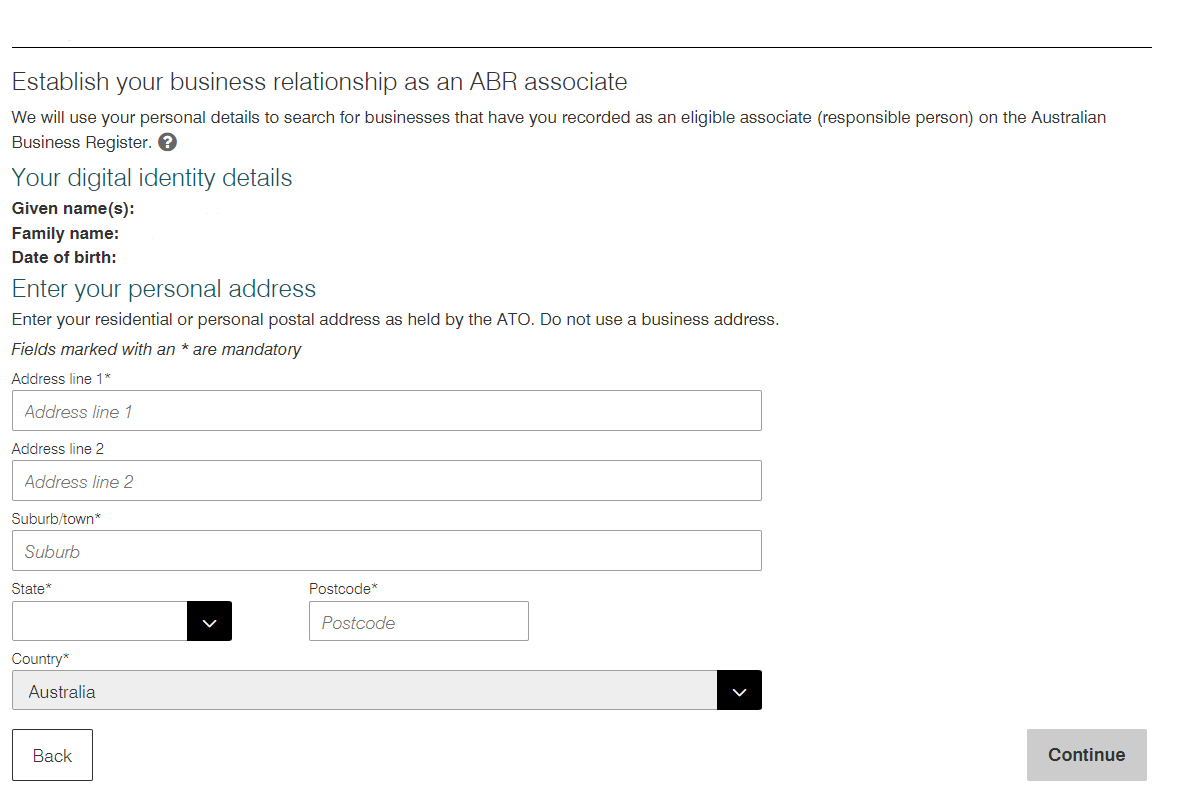
- Selecting 'Continue' brings up a form to fill in. Ensure that these are accurate and that they match the records shown on the ABR or ASIC so that the right entity is brought up, then select 'Continue'.
- Enter an email address (this can differ from the one used for the MyGovID digital identity) to receive the verification code.
- Enter the verification code that is sent the email address and select 'Verify'.
- Double check the details of the selected entity then select the checkbox to declare you understand and accepted, then hit 'Submit'.
- Select 'Continue' from the pop-up that this brings up.
- Primary person
- Call the ATO on 1300 287 539 and select option 3 to complete a proof of identity check.
- Once processed, you will receive an email with an authorisation code and summary of the authorisation request.
- Log into RAM using the MyGovID digital identity that you used to request the authorisation. The request should pop up to be accepted.
- Sole trader or eligible individual associate
Troubleshooting
- If the entity you are looking for does not come up when you search, double check that the individual whose myGovID digital entity is being linked is an authorised contact/director/trustee on the ABR. If not, try adding them.